- About Us

- Our Services
- Your Industry
- Resources
- News & Blog
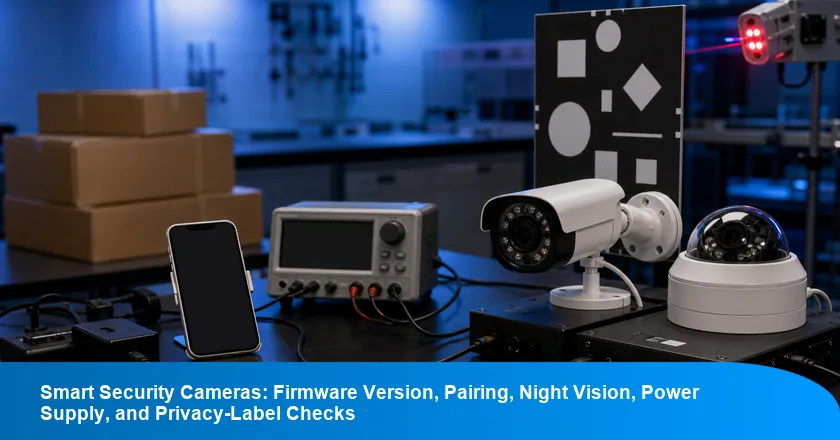
A smart security camera can pair successfully, record a clear image, and still be the wrong unit to release. The tested firmware version may differ from the approved software; the adapter may be for another plug route; or the privacy QR artwork may belong to an earlier app and product-information packet. The practical question is not whether one sample “works.” It is whether the observed camera, its records, and its packed cartons all identify the same build.
This smart security camera inspection checklist gives import QA teams a way to make that decision. It covers firmware version, Wi-Fi pairing, reset behavior, night vision, alerts, storage, audio, supplied power hardware, labels, and pack-out. It also draws a necessary boundary: a factory function check is useful release evidence, but it is not a radio, cybersecurity, electrical, or privacy compliance determination for every destination.
The Camera Release Decision in One View
A camera result clears only the current configuration and packed population that it can identify. Treat “lot-specific” as limited to the identified production population, records, and release boundary: the serial range, carton group, and records that can be connected without assumptions.
- Freeze identity first. Record the approved firmware and app build, camera model, wireless module, adapter model, plug variant, label artwork revision, and destination route before sampling.
- Test behavior second. Pair after a factory reset, exercise the defined Wi-Fi path, observe day and low-light image behavior, trigger alerts, and record the method used for each result.
- Release the matched population only. If a version screen, privacy QR destination, adapter, or carton code no longer matches, hold the traceable affected group and rebuild its evidence map.
- Keep market files separate. A passed camera does not itself prove the applicable market’s radio, cybersecurity, electrical, or privacy obligations.
The rule is deliberately narrow. It helps a buyer prevent a successful pairing demonstration from being generalized to a different software revision or an unknown carton population.
Use the Camera Build Release Framework Before Sampling
The Camera Build Release Framework requires both gates to identify the same finished camera build before release. Gate 1 identifies what the camera is. Gate 2 records what that identified camera did under a defined method. Neither gate can substitute for the other.
Start with a buyer-approved configuration sheet rather than a feature list. It should name the exact software version, application build or pairing route, hardware revision, camera and wireless-module identifier, adapter rating and plug, label artwork, QR destination, accessory list, and carton marking. Then make the factory check sheet point back to that sheet. A screen-shot or functional pass without its configuration identity is a weak release record because it cannot show which finished build was observed.
The framework also protects against an all-or-nothing reaction. If one build is traceable, the buyer can hold that build while checking whether separately coded cartons map to another approved build. If the cartons cannot be separated, the decision boundary widens. The release unit is therefore a documented camera population, not the whole purchase order by default.
Gate 1: Freeze the Firmware, App, Power, and Label Configuration
NIST's IoT capabilities catalog lists device identification and device configuration as separate technical capability areas. For factory QA, that distinction is useful: a firmware build is the identifiable software version installed on the camera, while the configuration gate also captures the hardware and information items that make the tested unit a particular sellable variant. This is a release-control approach, not device certification.
Ask the factory for the approved version screen or build identifier, the app build and login path, current reset instructions, model and serial convention, wireless-module reference, adapter model and rating label, plug type, accessory pack list, and current label or QR artwork file. A QR scan should record the destination and artwork revision; it should not be reduced to a visual “code present” check. If the camera has more than one regional plug or adapter, treat each supplied power combination as a separate configuration until the buyer says otherwise.
Run this gate before the finished units are mixed into cartons. For a version, app, module, adapter, or artwork change during production, record the effective production range and the affected carton or serial boundary. Buyers who need an in-process checkpoint can set a During Production Inspection around the approved build so that a late change is visible before it becomes a final packed-lot issue.
Gate 2: Test the Camera Behavior the Current Build Is Meant to Deliver
A functional result is usable for release only when the method and sampled camera build are recorded. “Pairs normally” is not enough; record the network condition, app version, reset state, test account condition, sampled camera identity, result, and any exception.
For a typical brief, begin with a factory reset and confirm that any prior account association is cleared in the intended way. Pair on the buyer-specified Wi-Fi band and security setting, then test connection stability for the defined observation period. Check live image, motion trigger, notification delivery, day-to-night changeover, local or cloud storage path where supplied, microphone, speaker, and supplied mounting or power accessories. The buyer should define the acceptance rule for each feature; a factory should not invent a universal alert time, image threshold, or signal limit.
A good sheet states the sample plan and defect classification before the visit. TradeAider can work from that buyer-approved scope when the brief names the current software, network condition, and carton boundary. Teams that need a shared sampling baseline can review the inspection-standard framework and then add the camera-specific build, network, and low-light conditions to the approved brief.
Keep Market Evidence Separate From Factory Function Checks
A factory check can document a camera build, but it cannot replace the market-specific evidence applicable to that product and destination. Factory QA answers, “Did this identified unit behave as required under this method?” Market evidence asks a different question about the actual product, route, responsibilities, and applicable rules.
That separation matters especially for consumer cameras. NISTIR 8425 identifies cybersecurity capabilities commonly needed for consumer IoT products and can be a starting point for purchasers, but it is not a conformity result for a particular camera SKU. The buyer should therefore keep the configuration sheet, functional record, declarations, test records, cybersecurity documents, privacy materials, and destination-market review under named owners rather than treating a pairing test as a substitute for all of them.
The operational benefit is clarity at the factory. An inspector can verify that the camera, adapter, artwork, and supplied pack-out match the approved packet; the appropriate compliance owner can determine which evidence is required for the intended market and product scope. If the order needs both activities, scope product testing alongside the camera brief so the factory observation and the formal evidence request use the same build identifiers.
Match Radio and Privacy Records to the Actual Camera Variant
UK guidance describes security requirements and statement-of-compliance duties for relevant consumer connectable products. Whether and how a particular camera is in scope should be assessed for the actual product and route; a factory pairing result does not answer that question.
EU Delegated Regulation 2022/30 addresses specified categories of internet-connected radio equipment and cybersecurity-related essential requirements. The useful QA action is to keep the model, firmware, wireless configuration, power arrangement, label artwork, and destination record linked, then ask the responsible owner to confirm the applicable scope.
ISED requires a technical acceptance certificate and Radio Equipment List entry before covered wireless equipment can be imported, distributed, or offered for sale in Canada. For a Canada-bound unit, record the exact model and radio configuration presented for inspection, then compare it with the buyer’s controlled evidence packet rather than assuming that a related camera shares the same status.
ICO says smart-device users should be clearly informed about data use in plain language at relevant product points. That makes privacy labels, setup screens, QR destinations, and manual references controlled information items. An inspector can confirm that the approved version appears on the unit or pack and that the QR resolves to the approved destination; that observation does not replace a privacy assessment.
Build a Functional Check Sheet That Produces Usable Release Evidence
A useful camera check sheet separates configuration, functional, image, power, and pack-out observations. This prevents a clear daytime image from being logged as a pass for firmware, low light, adapter, labels, and cartons at the same time.
| Control area | Record before sampling | Factory observation | Release boundary |
|---|---|---|---|
| Build identity | Firmware, app, model, serial rule | Version screen and reset state | Named build or traceable hold |
| Pairing and alerts | Wi-Fi path, test account, acceptance rule | Reset, pair, reconnect, trigger alert | Recorded method and sampled unit |
| Image and audio | Day and low-light criteria, storage route | Live view, night mode, mic and speaker | Observed condition, not universal performance |
| Power and pack-out | Adapter model, rating, plug, carton map | Label, supplied hardware, carton marking | Matched destination variant and lot |
Put a result, evidence reference, exception owner, and retest instruction beside each control. It is better to mark “not evaluated under this brief” than to turn a visual observation into a broad compliance statement. The completed sheet should let a buyer trace every pass back to a current configuration and a defined production population.
Record the Low-Light Condition and the Power-Supply Identity
Night-vision output and power-supply identity are separate controls that need their own conditions and records. A camera may enter night mode under one room condition while an unrelated adapter or plug is packed in the retail box.
For night vision, write the condition rather than relying on a verbal “IR works” result: target position, ambient-light setup, changeover trigger, image criterion, test distance, storage or live-view path, and sampled camera identifier. Without those details, the low-light result cannot be compared with a later recheck or used to support a defined release decision. Do not invent a universal lux value or image threshold; use the buyer’s documented requirement. Where motion alerts are relevant, record whether the test was performed before or after night-mode changeover and what notification path was observed.
For power, photograph or transcribe the adapter model, input and output rating, plug type, marking, cable, and inclusion status. Compare those items with the approved configuration and destination carton. The check confirms pack-out identity and buyer requirements; it is not an electrical safety determination.
Contain a Camera Build Mismatch Before It Becomes a Shipment Claim
A golden sample cannot authorize a different mass-production build. The correct response depends on traceability: identify the affected firmware, artwork, adapter, and carton population first, then decide whether only that population can be held.
A conditional hold is not a weaker decision. It is a way to preserve the evidence boundary while preventing a known mismatch from being hidden inside a general release statement. The following is illustrative rather than a client case.
Illustrative Scenario: A Paired Camera Ships an Older Firmware Build
Hold the 600 affected cameras until the approved build, artwork, functional result, and cartons agree.
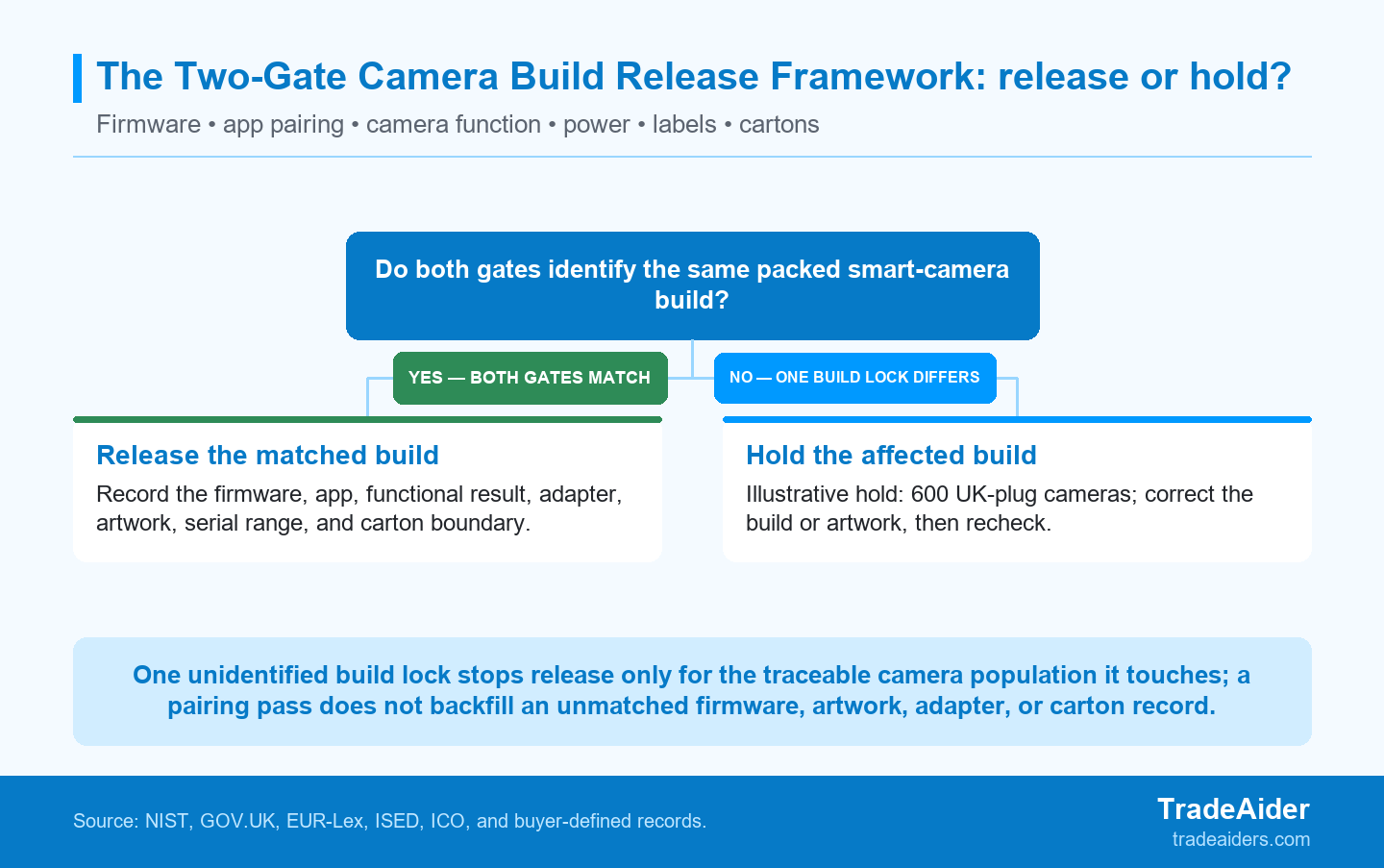
Use the two gates to keep an older firmware or artwork build from borrowing approval from a different camera population. In this illustrative order, only the traceable affected subset is held for controlled correction and recheck.
An importer QA manager is preparing a 2,400-camera order for UK and EU online channels. The buyer needs one written release record for each destination configuration, not a generic statement that the cameras power on. The order has two plug variants and an approved firmware build of 2.6.7. Six hundred UK-plug cameras are packed under one traceable lot code, while the remaining 1,800 cameras can be separated by their own build and carton records. Goods are complete, the 600-camera UK-plug group is packed, and a final inspection is being prepared. Release has not yet been authorized, so the evidence boundary can still be protected.
A sampled UK-plug production camera pairs normally but displays firmware 2.6.5, whereas the approved sample and current brief name 2.6.7. The same unit switches to night mode, yet its privacy QR artwork is the earlier revision associated with the 2.6.5 build packet. The pairing and night-mode observations are real, but they identify the older build that was actually tested. That result cannot clear the approved 2.6.7 configuration or establish the scope of the earlier artwork. The build-to-carton map, not the feature demonstration, tells the buyer whether the mismatch is limited to the 600 traceable cameras.
Place a conditional hold on the 600 UK-plug cameras. Review the separately documented 1,800 cameras against their own version, adapter, artwork, and carton records; do not release them merely because the held subset is being corrected. Reflash or otherwise correct the affected build under controlled records, replace the applicable artwork where required, and rebuild the version-to-carton map before any recheck.
Verify the approved version identifier, factory-reset and pairing behavior, low-light function, power-supply variant, current artwork, serial range, and carton list for the corrected 600-camera group. If a buyer needs help turning that boundary into a field-ready scope, they can request a smart-camera inspection brief review. This illustrative scenario is not a verified client case and does not determine cybersecurity, radio, electrical, or privacy compliance. It only shows how a traceable configuration mismatch can lead to a controlled, conditional release decision.
Turn the Two Gates Into a Lot-Specific Camera Inspection Brief
A release brief names the current configuration, test methods, acceptance rules, evidence owner, and carton boundary. Send those five elements before the visit so the inspector knows which version screen, adapter, label file, test account path, and final carton identifiers to check.
NIST's consumer IoT cybersecurity program identifies NISTIR 8425 as the final version of its recommendations for cybersecurity features in consumer IoT products. Use that context carefully: it helps buyers frame connected-product requirements, but it does not prescribe a universal smart-camera factory method or determine conformity for a particular SKU.
A practical handoff includes the approved build sheet; firmware and app evidence; wireless, adapter, and plug identifiers; buyer-defined pairing, reset, image, night-mode, alert, storage, and audio checks; the privacy-artwork and QR reference; sample plan; defect rules; destination route; evidence owners; and serial or carton boundary. For the finished order, buyers can use a smart-camera Pre-Shipment Inspection to verify the packed lot against that controlled brief.
Who Is TradeAider?
TradeAider is a quality inspection, testing, and certification service provider in China. Its Inspection & QA Services are offered at $199/man-day all-inclusive, with service coverage in Guangdong, Zhejiang, Jiangsu, Shandong, and Fujian. TradeAider reports that its clients have achieved an 18% reduction in defect rates and a 23% improvement in delivery timeliness; these are client-reported outcomes, not universal results. TradeAider also provides testing services, covering Hardline Products, Softline Products, Electrical & Electronic Products, and Industrial Products, enabling buyers to manage quality control and testing needs within a single service framework. It is also an Amazon Service Provider Network (SPN) partner.
Frequently Asked Questions
Can a pairing test prove smart-camera cybersecurity compliance?
No, a pairing test verifies a defined functional path but does not by itself establish cybersecurity compliance for a market. It can show that an identified camera reset, joined the specified Wi-Fi network, and performed the defined app path under the recorded conditions. It cannot determine the full cybersecurity requirements, evidence, scope, responsibilities, or destination applicability for that product. Keep the pairing record in the factory file and route market or cybersecurity questions to the responsible evidence owner.
What firmware evidence should an inspection report show?
A useful report should record the approved version or build identifier, reset state, app build, sample identity, and the result of the defined checks. It should also show the observed version screen or equivalent evidence, date, test account condition, network method, model or serial reference, and whether the result maps to a defined carton or production range. If the observed build differs, the report should identify the affected boundary and the required correction or recheck instead of using a generic pass result.
Does a market record make every camera variant releasable?
No, a mark or record must still be matched to the actual wireless module, power arrangement, market route, and finished camera configuration. A record that belongs to one hardware revision, plug variant, firmware packet, or label artwork cannot automatically be extended to another. The factory check should therefore record the variant actually present. The appropriate owner can then determine whether the market evidence applies; the inspector should not make that determination from a label or successful pairing screen alone.
How should night vision be checked before shipment?
Night vision should be checked against a buyer-defined low-light setup, trigger condition, image criterion, sample identity, and recorded result. State the test target, observation distance, ambient-light condition, day-to-night changeover method, storage or live-view route, and any alert behavior being checked. Record the result for the identified sample and build. Avoid adding a universal lux or image-quality threshold unless it is part of the buyer-approved specification or a separately scoped test method.
Related Articles


Grow your business with TradeAider Service
Click the button below to directly enter the TradeAider Service System. The simple steps from booking and payment to receiving reports are easy to operate.