
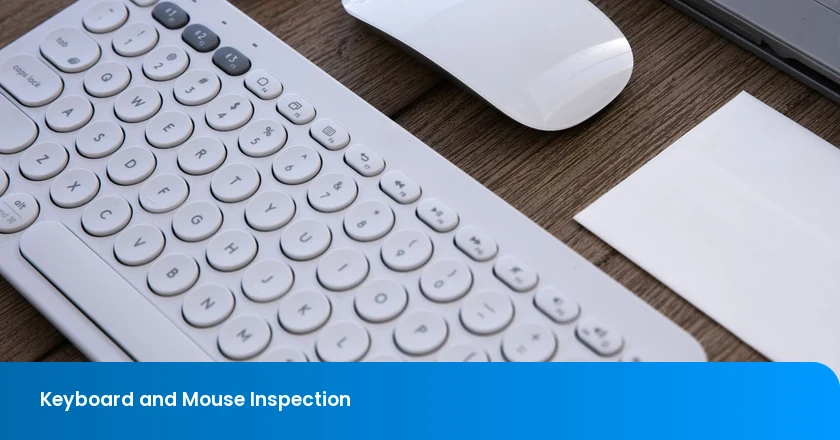
A keyboard or mouse can be rejected for the wrong reason when the inspection computer uses a different layout, remapping profile or receiver. The opposite problem is just as important: a sample can work with the factory's bench receiver while the boxed combination set does not. Buyers need results for the ordered devices in a defined, supported environment.
Keyboard and mouse quality inspection should cover key actuation, button mapping, wireless pairing, battery drain, finish and packing. Physical feel, input events and the host's response are related but different observations. Use the checks below to identify a genuine production fault, resolve a setup problem and judge whether a broader performance claim has actually been evaluated.
Cover Both Devices in the Inspection Plan
Set the inspection scope for the ordered keyboard layout, mouse model, receiver and firmware versions. The approved references and packing list should identify the supported hosts and regional version. A result from a different host setup or a substitute receiver needs an explanation before it can support acceptance of the retail set.
| Check | Keyboard | Mouse |
|---|---|---|
| Actuation | Press and release every key; check sticking, missing inputs and unintended repeats. | Operate every button and wheel switch; check release, drag and click behavior. |
| Mapping | Compare key events, modifiers and printed legends under the specified layout. | Verify primary, secondary and extra-button actions, wheel direction and supported modes. |
| Wireless | Test initial pairing, reconnection and each advertised device channel. | Check the actual supplied receiver or Bluetooth connection, including wake recovery. |
| Battery drain | Measure the specified active, backlight, idle, sleep and off conditions. | Control the surface and movement pattern; compare active and sleep consumption. |
| Finish | Check legends, key alignment, housing, feet and specified surface durability. | Inspect shell seams, buttons, wheel, underside and glide feet. |
| Packaging | Confirm layout, variant, accessories and protection against key pressure. | Check receiver location, batteries, cables and the correct combination-set contents. |
For each check, record the sample, method, relevant setting, observed result and acceptance reference. Set numerical limits, cycle counts and defect classifications before the visit. A missing method or unperformed measurement should remain visible in the report rather than being converted into an assumed pass.
Does Each Control Register Correctly and Feel as Specified?
Actuation is the point at which operating a key produces its intended input. A useful result distinguishes a missing press, failed release, extra event and a physically sticking key. Coverage should include modifiers, function and navigation controls and the number pad where fitted, rather than only the characters visible in a typing field.
A text field alone is inadequate for controls that do not print characters. Check the event record and the intended action, and test the specified key combinations rather than assuming all combinations behave alike. Distinguish an unintended extra input from the operating system's normal held-key repeat. Use a documented tapping and holding sequence so inspectors can reproduce the distinction.
Inspect wide keys for binding or uneven return at the positions required by the method. A space bar that works only when pressed in the center needs a different investigation from a key that moves freely but never registers. Do not remove keycaps or open assemblies unless that examination is authorized; keep altered samples separate from saleable stock.
Measure Force and Travel Where the Specification Requires Them
Pretravel is movement from rest to actuation; total travel runs from rest to the end of the stroke. Neither is the same as operating force. If these properties affect the purchase specification, commission their suitable measurement methods and model-specific tolerances. A subjective description of a light key cannot establish all three.
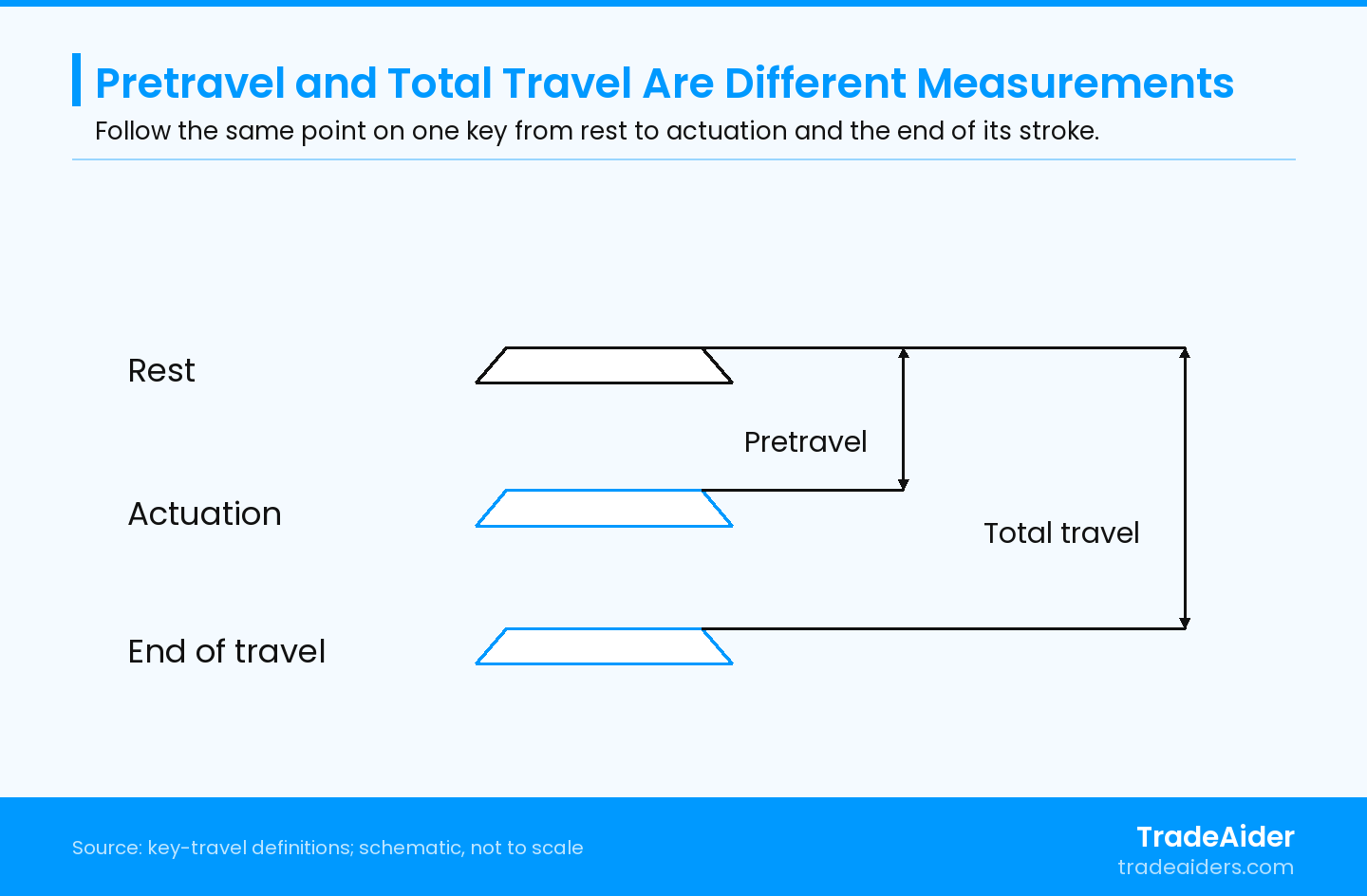
Schematic, not to scale. The outlines represent the same key at different positions. Measure from the same reference point using the specified actuation-detection method; no travel value, force or tolerance is shown.
For a component example, CHERRY MX RED specifications list 2.0 mm pretravel and 4.0 mm total travel, alongside a separate operating-force specification. These values describe that switch, not universal keyboard limits. A component specification also does not automatically establish the feel or measured force of an assembled key with its keycap and supporting mechanism.
Compare measured results with the actual model's tolerances. For adjustable actuation settings, identify the selected mode before testing. A brief factory check also cannot establish a lifetime keystroke claim; durability requires its specified test program and supporting results.
Check the Host Configuration Before Rejecting the Layout
A mismatch between a key legend and an output character can arise in the device or in the host's interpretation. Keep the reported key event, active regional layout, firmware and customization profile together. That comparison tells the buyer whether to request hardware correction, a configuration change or further diagnosis.
Microsoft's Keyboard Input Overview distinguishes key-identifying scan codes from the character processing performed by Windows. The active layout affects interpretation. For inspection, compare the device's reported input and the resulting action or character, rather than treating the printed symbol and an application's output as the same layer. Other supported operating systems need their own documented setup.
Test modifiers and the required secondary functions against the approved mapping. If the legend, reported key and output disagree, preserve those observations separately. Check the intended host layout and profile before attributing the mismatch to hardware. A legend error remains a product issue even if software can be changed to make the resulting character convenient.
For mice, Microsoft's mouse settings guidance shows that Windows allows the primary button to be assigned to the left or right button and permits scroll settings to change. Start from the agreed settings when judging button mapping. Record extra-button assignments and any application-specific profiles instead of assuming their defaults are identical on every computer.
For mouse controls, distinguish incorrect mapping from missed clicks, unintended double activation, dropped dragging and faulty scrolling. The first may concern the agreed host settings; the others need reproducible device-and-environment evidence. A cursor that moves normally does not clear every button function.
The Boxed Receiver Must Work with the Boxed Devices
A wireless result should cover the advertised connection modes with the supported host and the receiver actually supplied in that version. Connection, power-off recovery, reconnection and sleep/wake behavior are separate functions. A one-time successful pairing does not settle whether the customer's packed set will recover as specified.
Receiver identity matters. Logitech's receiver compatibility guidance states that Logi Bolt devices and Unifying receivers are not mutually compatible. That is a specific product-family restriction, not a rule for every brand. Verify the actual receiver technology and model instead of assuming that similar USB receivers are interchangeable.
Check power-off recovery, receiver reconnection, sleep and wake according to the agreed sequence. On multi-device products, pair the required hosts, switch between the supported channels and confirm that input reaches the selected host. Include the keyboard and mouse together when checking a combination set, so the sample does not pass with one device connected through a different receiver left on the bench.
A reported range failure needs the tested host and receiver positions, distance and nearby wireless conditions. A convenient factory aisle is not a universal range requirement. Compare the actual conditions with the claim before asking the supplier to change the radio design.
Separate Abnormal Drain from an Unverified Battery-Life Claim
Excessive battery drain is a behavior under defined conditions, not simply a high meter reading. Compare active use, idle, sleep and off with the battery condition, voltage, connection mode and settings identified. This helps distinguish an actual failure to reach low power from a measurement taken before the device should sleep.
Nordic Semiconductor's Power Profiler Kit II product brief describes measurement of average and instantaneous current, including extended recordings and short events. This illustrates the capability needed when short activity peaks and low-power intervals must both be examined. It does not provide keyboard or mouse acceptance limits, nor does inspection require that particular instrument.
Backlighting, typing activity, mouse tracking surface and movement can change power demand. The comparison therefore needs the agreed activity pattern and the specified undisturbed interval before sleep readings. Repeatedly waking a mouse during a supposed sleep test describes a different operating state.
A high current reading immediately after pairing does not by itself show excessive sleep drain. Confirm the required wait period and whether the device has entered its intended low-power state, then compare the relevant interval with the specified limit. Conversely, a low average can conceal unwanted wake-ups or missed inputs. Review the current record alongside observed behavior before deciding whether the problem is power consumption or loss of function.
A rechargeable device's charging connection or another power path can change the measured current. A disputed result needs competent review of the measurement setup, including instrumentation effects, before it is attributed to the product. Routine current testing should use suitable equipment and qualified personnel.
Short checks can identify abnormal drain under their tested conditions. They cannot establish a months-long battery-life claim without the relevant usage schedule, sleep behavior, battery characteristics and longer-term evaluation. Ask for those conditions when comparing the supplier's claim with test results.
Finish: Inspect the Surfaces People See and Touch
Separate cosmetic references from faults affecting touch and operation. Key legends, color and shell finish should match the approved sample, while sharp edges, binding controls or misplaced mouse feet need their own findings. A tilted key or interrupted glide should not be dismissed because the color is correct.
Separate expected construction features from defects. A keycap profile may intentionally change between rows, while a tilted key or loose support can affect use. Mouse feet should match the specified arrangement and sit securely; an apparent cosmetic issue underneath may also cause rocking or uneven movement. Record the location and functional consequence rather than describing every variation simply as poor finish.
Apply any specified legend-rub, coating-adhesion or cleaning-resistance test using its agreed material, force, duration and assessment method. An informal scratch or wipe is not equivalent to a controlled durability check. Retain photographs of actual defects and identify the relevant cosmetic zone, especially where acceptance differs between a prominent top surface and a concealed area.
Verify the Complete Regional Retail Version
The regional layout, mouse, receiver, firmware and included accessories must match the retail version being purchased. A correct main product with the wrong receiver is an unusable set, not merely a counting error. Verify included batteries, cables and instructions against the approved list, keeping optional items distinct.
For combination sets, test the actual keyboard, mouse and receiver packed together. Do not complete functional checks with a shared bench receiver and then assume the boxed receiver is correct or paired. Verify battery polarity, compartment closure and any required battery-isolation tab. Identify the correct cable type and whether it is intended for charging, data or both, as specified for that version.
Check that inserts restrain the products without keeping keys or buttons depressed. Confirm that accessories cannot rub the visible surfaces during handling. Where transport tests are specified, examine the retail protection and carton condition afterward, then repeat the relevant functions. A carton with no visible damage does not establish that an internal receiver, wheel or key mechanism survived unchanged.
Hypothetical Example: A Wrong Character with a Correct Key Event
Suppose a keyboard's printed layout matches the order, but a symbol key produces an unexpected character on the inspection computer. The event-viewing tool identifies the intended key, and the host is found to be using a different regional layout. The inspector records the mismatch, selects the specified host layout and repeats the affected inputs and modifiers.
In this hypothetical example, the repeated checks produce the expected characters, supporting a host-configuration explanation for that observation. It does not clear every key or prove that every keyboard in the order is correct. If the reported input or printed legend still differs from the approved mapping, investigate the product instead of masking the discrepancy with a custom remap.
Request Corrections That Match the Observed Fault
Keep the test setup with the result so the supplier can reproduce the problem. The next step depends on what actually failed:
- Missed input or poor return: Identify the control, operating position and sequence. Recheck the affected function after the relevant mechanical or firmware correction.
- Mapping or connection mismatch: Preserve the host settings, profile and receiver identity. Confirm the ordered configuration before accepting a remap or a substituted receiver.
- Battery discrepancy: Compare the same operating state and measurement conditions. Obtain the usage assumptions behind any long-life claim.
- Finish or packing error: Identify the surface, component or retail variant, and verify the corrected goods and their packed combination.
TradeAider's inspection standard describes sampling and customer-specific checks. Use the sample plan to select units, with the product specification and agreed methods supplying the functional and cosmetic criteria.
For pre-shipment inspection, the order quantity is 100% complete and at least 80% packed for export. Confirm that the required hosts, software and measurement equipment will be available before scheduling the checks.
To define the inspection scope, send TradeAider the keyboard and mouse specifications, approved samples, supported hosts, receiver details, firmware versions, packing list and test procedures. Agree the factory checks and reporting needs, with any specialist evaluations identified separately.
Frequently Asked Questions
Can a browser-based keyboard tester verify every special function?
No. Some shortcuts may be intercepted by the browser or operating system, and some vendor functions require supported software. Use a tool that exposes the events needed for the particular check, then test the intended action in its supported environment. Document the limitation when a browser cannot observe a control. A blank indicator in one test page is not enough to prove that the hardware failed.
How should firmware updates during inspection be handled?
Record the original version and findings before any authorized update, then identify the version used for the recheck. Confirm which production units actually receive the correction and which functions could be affected. An updated sample demonstrates only its own tested behavior. Do not silently change the test version midway through the sample set or assume that updating one device updates every packed keyboard, mouse or receiver.
Can ordinary functional checks substantiate a low-latency gaming claim?
No. Seeing a key or click register does not measure end-to-end latency. A quantified claim needs a defined start event, endpoint, instrumentation, host configuration and analysis method. Polling-rate information alone cannot substitute for that measurement. If the order includes a latency requirement, arrange the appropriate evaluation and keep its conditions with the result rather than attaching a timing claim to an ordinary event scan.
Should several samples be paired to a shared personal inspection computer?
Use a controlled inspection host and an agreed process for clearing or retaining pairing records. Personal settings, saved receivers and customization profiles can make the sample's initial state unclear. Protect any credentials used for testing and restore the defined delivery state afterward. Keep enough device and receiver identification to distinguish the inspected retail sets without leaving unrelated personal data or test pairings on the goods.
Related Articles

Grow your business with TradeAider Service
Click the button below to directly enter the TradeAider Service System. The simple steps from booking and payment to receiving reports are easy to operate.