- О нас

- Наши услуги
- Ваша отрасль
- Ресурсы
- Новости и блог
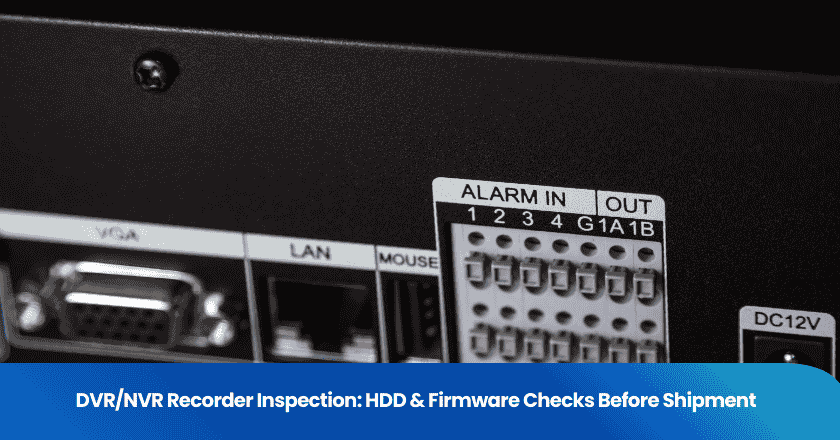
When you source DVR/NVR recorders from a Chinese factory, the spec sheet rarely tells the full story. A recorder that looks correct on paper can arrive with an incompatible HDD, unstable firmware, or failed thermal protection — problems that only surface after your customer installs the unit. Getting a pre-shipment inspection that specifically covers HDD integration and firmware verification is the most reliable way to catch these issues before they become returns, chargebacks, or one-star reviews.
Key Takeaways
- HDD compatibility is a common failure point in DVR/NVR orders sourced from China — always require surveillance-grade drives with confirmed workload ratings in your purchase order.
- Pre-shipment inspections that include functional firmware testing catch recording failures, motion detection bugs, and network access errors before goods leave the factory.
- Thermal and power safety checks protect you from receiving units that overheat under continuous operation — a leading cause of field failures in surveillance hardware.
- Require your supplier to provide firmware version documentation and test results. If they cannot, that is a red flag worth investigating before you release payment.
- Using a third-party inspector with electrical testing capability gives you independent verification that the unit meets IEC, CE, and UL standards, not just the factory's self-declaration.
Why DVR/NVR Quality Failures Are a Sourcing Risk, Not Just a Technical Problem
What Goes Wrong After Delivery
If you have sourced surveillance recorders from China before, you have likely encountered at least one of these scenarios: a batch of units where the included HDD is a consumer desktop drive rather than a surveillance-grade model; recorders that drop frames or freeze after 48 hours of continuous operation; firmware that does not match the feature set advertised in the product listing. Each of these issues is entirely preventable with the right pre-shipment checks — but they are routinely missed when buyers rely solely on factory self-inspection or generic product photos as "proof of quality."
The core problem is that DVR/NVR recorders are assembled products. The final quality depends on HDD selection, firmware version, thermal design, and power supply tolerance all working together correctly. A factory can substitute a cheaper HDD model without changing the box, ship units with untested firmware to meet a deadline, or skip thermal cycling tests entirely. Without independent verification at the factory before shipment, you have no way to know.
Note: Adhering to international standards such as IEC, CE, and UL is not optional for most export markets. If your supplier cannot demonstrate compliance documentation, request a third-party inspection that applies AQL defect classification to verify hardware and firmware against those benchmarks.
Common Quality Defects Found During Inspection
Based on inspection data from security hardware shipments, the most frequently identified defects in DVR/NVR recorders fall into the following categories:
- HDD model or capacity does not match the purchase order specification.
- Consumer-grade HDD substituted for surveillance-grade drive, failing the workload rating requirement.
- Firmware version is outdated or does not support the advertised features such as motion detection zones or remote access.
- Recording drops frames or freezes under high-resolution multi-camera load.
- Unit overheats during thermal stress test, triggering automatic shutdown.
- Power supply cannot sustain load when multiple HDDs are integrated.
- RAID configuration not set up correctly, leaving data unprotected.
What a Proper HDD Integration Inspection Covers
HDD Specification Verification
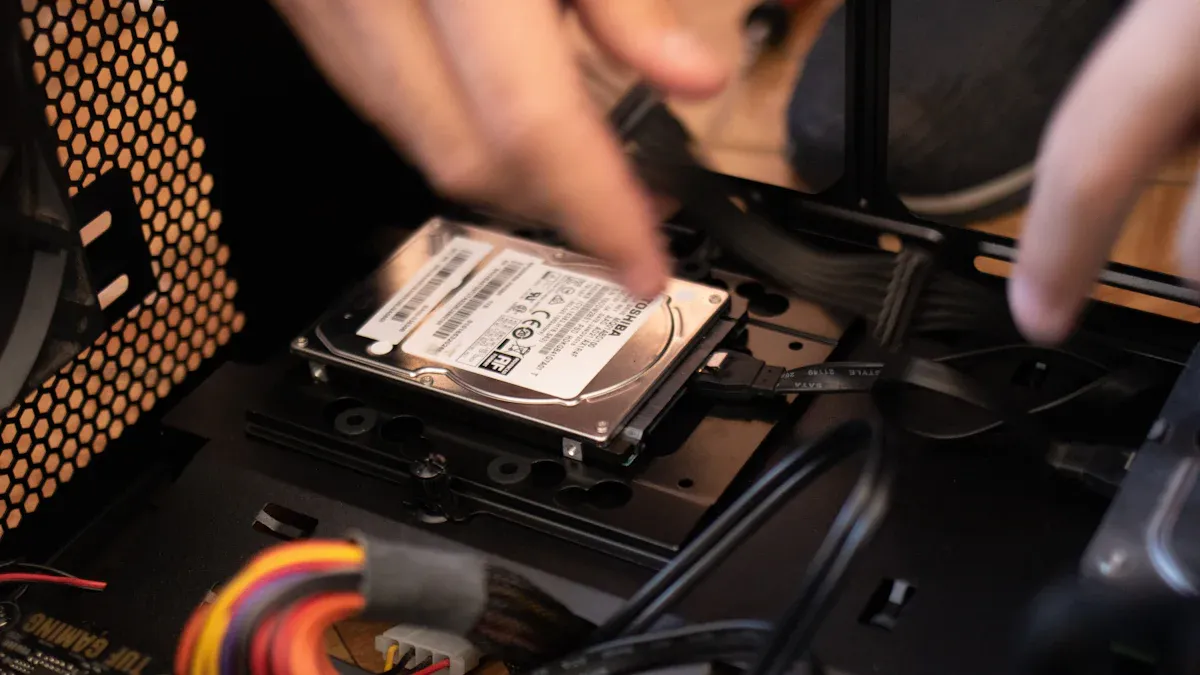
The first thing an inspector should verify is whether the HDD model, brand, and capacity actually match what you ordered. This sounds basic, but substitution is common — especially when component prices fluctuate. Your purchase order should specify surveillance-grade drives and define minimum workload ratings. The table below shows the key criteria inspectors check against your PO requirements:
| Inspection Criteria | What to Require in Your PO |
|---|---|
| Workload Rating | Minimum 180 TB/year; below 150 TB/year is unacceptable for multi-camera or 24/7 operation. |
| 24/7 Operation Support | Must be confirmed in spec sheets, covering continuous power-on hours with thermal and vibration compensation. |
| Surveillance Firmware Layer | Drives should carry AllFrame AI or ImagePerfect firmware for multi-stream encoding and error correction. |
| Rotational Vibration (RV) Sensors | Critical for multi-bay DVRs — prevents tracking errors caused by cabinet resonance. |
| Power-Loss Protection (PLP) | Ensures data safety during sudden power cuts. Require capacitor documentation from the drive manufacturer. |
Tip: Add HDD model and workload rating as explicit line items in your purchase order, not just "HDD included." This gives your inspector a clear pass/fail benchmark and removes any ambiguity when the factory tries to substitute.
Assembly and Mechanical Checks
Beyond the HDD specification itself, inspectors physically verify that each drive is correctly mounted and cabled inside the enclosure. A loose HDD bracket or pinched power cable may not cause immediate failure but will shorten the product's lifespan. For multi-drive units, vibration resistance is especially important — drives in the same enclosure create resonance that can degrade performance over time if RV sensors are absent or improperly seated.
Inspectors also verify RAID configurations where specified. This is a frequently skipped step at the factory level. RAID 0 provides no redundancy, meaning one drive failure causes total data loss. RAID 5 allows recovery from a single drive failure. RAID 10 offers the strongest protection. If your product is sold with a specific RAID configuration, require the inspector to confirm it is active and correctly set — not just that the hardware supports it.
| Assembly Check | Why It Matters for Your Buyers |
|---|---|
| HDD secure mounting and cabling | Prevents drive failure from vibration during transit or operation. |
| Rotational vibration sensor seating | Essential for multi-drive enclosures to maintain read/write alignment. |
| RAID configuration active and correct | Ensures the data redundancy level advertised in your product listing is actually in place. |
Thermal and Power Safety Tests
Thermal failures are one of the top reasons security hardware is returned. Inspectors run overload protection and short-circuit protection tests, measure component temperature rise under sustained load, and conduct high-low temperature cycle testing. If a unit cannot maintain stable operation under thermal stress in a controlled environment, it will certainly fail in the field — particularly in installations where airflow is limited.
Power tests verify that the recorder's supply can sustain all integrated HDDs simultaneously without voltage sag or instability. Units with power-loss protection should be tested to confirm that data is preserved correctly when power is suddenly cut. Any unit that fails these tests should be flagged as a critical defect and held before shipment.
Firmware Verification: What Buyers Need to Confirm
Functional Testing Against Your Requirements
Firmware issues are among the hardest defects to catch without hands-on testing — and among the most damaging once they reach end users. When you place an order, your supplier's sample unit may have been running polished demo firmware. The production batch may ship with an earlier version, or with region-specific firmware that disables features you advertised. Require your inspector to test the actual firmware running on production units against your confirmed feature list.
Key functions to test during inspection include: recording stability under multi-channel load, motion detection accuracy, remote access via the specified app or protocol, timed recording and storage overwrite logic, and correct language and UI settings for your target market. Any deviation from the instruction manual or your PO specifications should be documented with photos and video and reported to you before release.
Tip: Ask your supplier for the firmware version number before inspection day. If the factory cannot confirm which firmware version will be on production units, treat it as a risk flag and include firmware verification as a mandatory inspection item.
Compliance and Performance Standards
Your inspector should verify that DVR/NVR units meet the certification requirements for your target market. For most buyers, this means confirming compliance with IEC, CE, and UL standards. Inspectors apply the ANSI/ASQ Z1.4-2008 sampling standard to classify defects — any major or critical defect identified during batch inspection should result in the shipment being held pending corrective action.
At TradeAider, inspection process for security electronics includes real-time reporting through the TradeAider Web App. As inspection progresses, you receive photos and videos directly from the factory floor. If an issue is found — wrong HDD, outdated firmware, or a failed thermal test — you can instruct the factory to correct it immediately, before a single unit is packed for shipment.
The table below summarizes the inspection items buyers should require for every DVR/NVR order from China, and how often they apply:
| Inspection Item | When to Require It |
|---|---|
| HDD model and workload rating verification | Every order |
| Assembly and mechanical check | Every order |
| Firmware version and functional test | Every order, especially after supplier firmware update |
| Thermal and power safety test | First order with new supplier; every large batch |
| RAID configuration verification | Any order with multi-drive or RAID-specified products |
| Compliance certification check (CE/UL/IEC) | First order; re-check if supplier changes component source |
A pre-shipment inspection that covers all of the above costs a fraction of one returned container. Contact TradeAider to arrange a customized inspection for your next DVR/NVR order from China.
FAQ
What makes a DVR/NVR order from China high-risk?
The main risks are HDD substitution (consumer drives instead of surveillance-grade), outdated or mismatched firmware, and thermal or power failures that only appear under sustained operation. These issues are rarely visible from photos alone and require hands-on functional testing at the factory before shipment.
Should I specify the HDD brand and model in my purchase order?
Yes. Vague specifications like "HDD included" give the factory room to substitute cheaper components. Specify the brand, model, capacity, and minimum workload rating (TB/year) as explicit line items. This gives your inspector a clear pass/fail benchmark and gives you contractual grounds to reject non-conforming goods.
How do I know if the firmware on my order is the correct version?
Ask your supplier to confirm the firmware version number before inspection. Your inspector can then verify the version on production units, test key functions against your feature list, and document any deviations. TradeAider's real-time reporting delivers photos and video of firmware tests directly to you during the inspection.
What happens if the inspector finds a problem before shipment?
With TradeAider's real-time reporting, you see issues as they are found. You can instruct the factory to correct the defect, re-test the batch, or hold the shipment entirely — all before any goods leave China. This is far less costly than dealing with returns or warranty claims after delivery.
Is a factory audit necessary for DVR/NVR orders, or is pre-shipment inspection enough?
For a new supplier, a factory audit is strongly recommended to verify production capabilities, component sourcing practices, and quality management systems. For established suppliers with a consistent track record, a pre-shipment inspection on each batch is usually sufficient. If you start seeing quality drift — inconsistent firmware, HDD substitution — schedule a follow-up audit.
Похожие статьи


Развивайте свой бизнес с услугами TradeAider
Нажмите кнопку ниже, чтобы войти непосредственно в систему услуг TradeAider. Простые шаги от бронирования и оплаты до получения отчетов легко выполнить.